

Lead management is the process of capturing, organizing, qualifying, assigning and following up with potential customers until they buy or drop out. Done well, it means every inquiry has an owner and a next step, and you can see which marketing actually produces sales. Done badly, leads sit in inboxes, voicemails and spreadsheets until they go cold.
This guide covers what lead management is, the five stages of the process, how it fits with a CRM, and a practical checklist for small sales teams getting started.
What is lead management?
Lead management is everything that happens between "someone showed interest" and "someone became a customer." A lead might fill out a form, call your business number, reply to a text, book a meeting or walk into a model home. Lead management makes sure that interest is recorded in one place, reaches the right person quickly, and gets followed up until there is a clear outcome.
Lead vs. prospect vs. customer
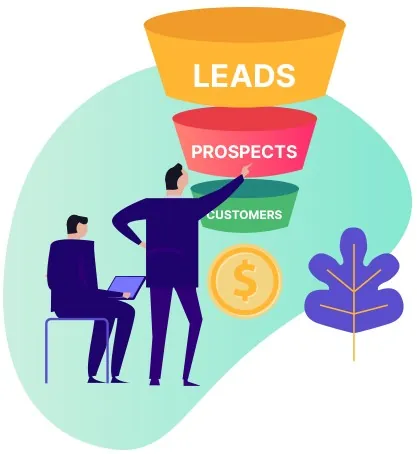 These terms get used loosely, so it helps to agree on them inside your team:
- Lead: anyone who has shown interest but hasn't been qualified yet. A new web form or an unknown caller is a lead.
- Prospect: a lead you've qualified. They fit the kind of customer you serve and have a real need, budget or timeline.
- Customer: someone who has bought from you. Their record keeps going, because repeat work and referrals start here.
Why lead management matters
Most small businesses don't lose leads because they lack interest. They lose them in the handoffs: a form notification nobody owned, a voicemail heard two days later, a promising estimate that never got a second follow-up. Lead management fixes three things at once:
- Speed. People who reach out to a business usually contact more than one. The team that answers first and clearly has an advantage.
- Consistency. A defined process means every lead gets the same good follow-up, not just the ones that land on your best rep's desk.
- Visibility. When every lead carries its source, you can see which ads, mailers, referral partners and pages bring in customers, and spend accordingly.
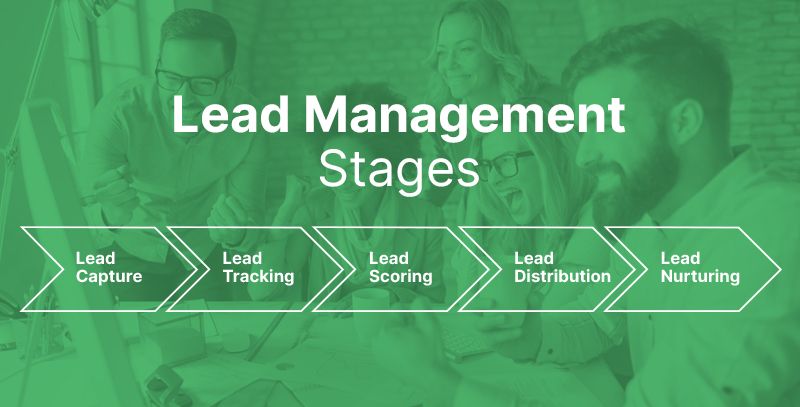
The 5 stages of the lead management process
1. Capture
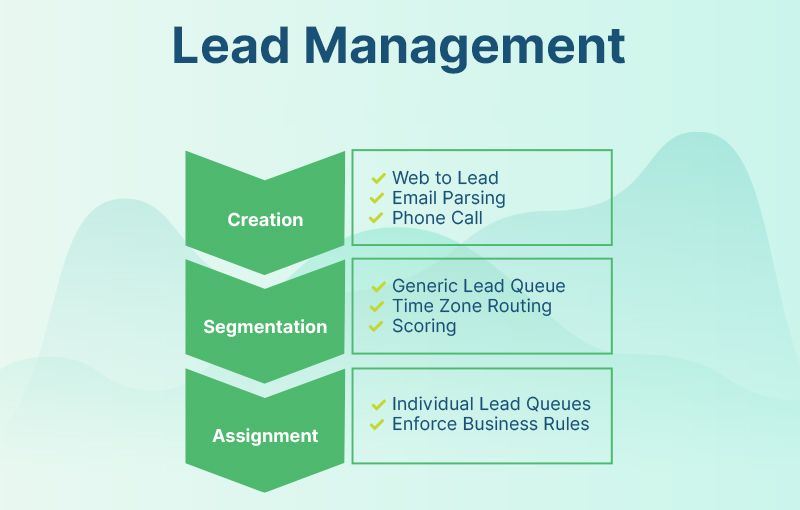
Bring every inquiry into one system automatically: website forms, phone calls, texts, emails, landing pages and lead lists. Each lead should arrive with its source attached, such as the campaign, the page or the tracking number someone called. If people still copy leads from an inbox into a spreadsheet, start here.
2. Track and organize
Give each lead a single record that holds their contact details, what they asked about, and every call, text and email since. Use a few clear statuses or pipeline stages (for example: New, Contacted, Qualified, Proposal, Won, Lost) so anyone can see where things stand at a glance.
3. Qualify and prioritize
Decide which leads deserve attention first. Simple rules work for most small teams: Is this person in our service area? Do they need what we sell? What's their timeline? Some teams add lead scoring, giving points for actions like requesting a quote or opening several emails, but a short set of qualifying questions is often enough.
4. Distribute
Route each lead to the right person quickly. That might mean round-robin assignment across reps, routing by territory or product, or sending every new lead to whoever is on duty. The rule matters less than the result: every lead has exactly one owner, and that owner gets notified right away. Our guide to instant lead distribution goes deeper on routing options.
5. Nurture and follow up
Few leads buy on the first conversation. Plan a follow-up sequence that mixes calls, texts and emails over days or weeks, and stop it as soon as the lead replies so a person can take over. Leads that aren't ready now can move into a longer, lighter nurture track instead of being forgotten. Our 14-day new lead follow-up sequence and lead re-engagement flow are free starting points.
Lead management vs. CRM
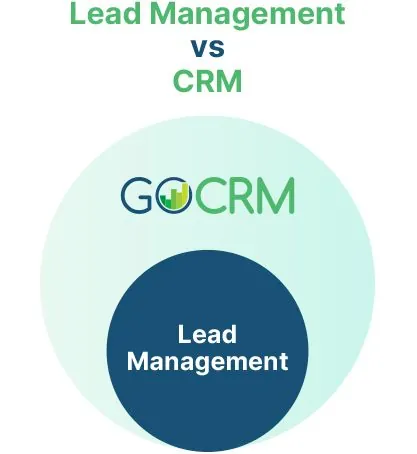 The difference is scope. Lead management focuses on turning new interest into customers. Customer relationship management (CRM) covers the whole relationship, including onboarding, repeat business, reviews and referrals after the first sale.
In practice, lead management lives inside a CRM. The CRM holds the records, the pipeline and the communication history, and lead management is the process you run on top of it. If you're comparing tools, our explainer on what CRM software is designed to do covers the wider picture.
Lead management best practices
- Respond fast, even when you can't respond fully. An automatic acknowledgment by text or email tells a new lead you received their request and when to expect a person. See our auto reply message examples and missed call text back templates.
- Keep every conversation on the lead's record. Calls, texts and emails scattered across personal phones and inboxes make handoffs painful. A shared history means anyone can pick up where the last person left off.
- Define "qualified" in writing. Sales and marketing should agree on what makes a lead worth a sales call. It prevents arguments about lead quality later.
- Set a follow-up standard. Decide how many attempts, over how many days, on which channels, before a lead is marked lost. Then automate the reminders.
- Track source to sale. Record where each lead came from and whether it closed, so marketing decisions are based on customers, not clicks. Learn more about marketing attribution.
- Review the pipeline weekly. Look for leads stuck in one stage, reps with too many open leads, and sources that produce volume but no sales.
How to get started with lead management
- List every place leads come from today. Forms, phone numbers, email addresses, social messages, referral partners, events.
- Pick one system to hold them. A spreadsheet works for a handful of leads a month. Beyond that, a CRM saves time and stops leads from slipping through.
- Define your stages. Five to seven pipeline stages is plenty for most small teams.
- Set assignment rules. Decide who gets which leads and how they're notified.
- Write your first follow-up sequence. Start with an instant acknowledgment, a same-day call, and two or three follow-ups over the next week.
- Measure and adjust. After a month, check response times, conversion by source and where leads stall.
Managing leads with GoCRM
GoCRM is a sales and marketing CRM built around this process. New leads from forms, tracked phone numbers and imports land in one place with their source attached. Your team can call, text and email from the contact record on local business numbers, with every conversation logged automatically. A visual sales pipeline shows where each opportunity stands, and automations can assign new leads, send a warm welcome and keep follow-up moving.
Want to see how it would fit your process? Request a demo and we'll walk through it with your team.
Frequently asked questions
What are the stages of lead management?
The five common stages are capture, tracking, qualification, distribution, and nurturing or follow-up. Some teams add lead scoring as part of qualification.
What is a lead management system?
A lead management system is software that captures leads from your channels, stores them in one place, routes them to the right person and tracks follow-up until they convert. Most businesses use a CRM for this.
Is lead management part of sales or marketing?
Both. Marketing usually owns capturing and nurturing leads, while sales owns qualifying and closing them. Lead management works best when both teams share the same records and definitions.